Engineered for Speed and Privacy
Virtual360 Studio brings the power of native desktop processing directly to your virtual tour workflow. Build gorgeous interactive tours offline with high-performance WebGL rendering.
Intuitive Dashboard & Project Center
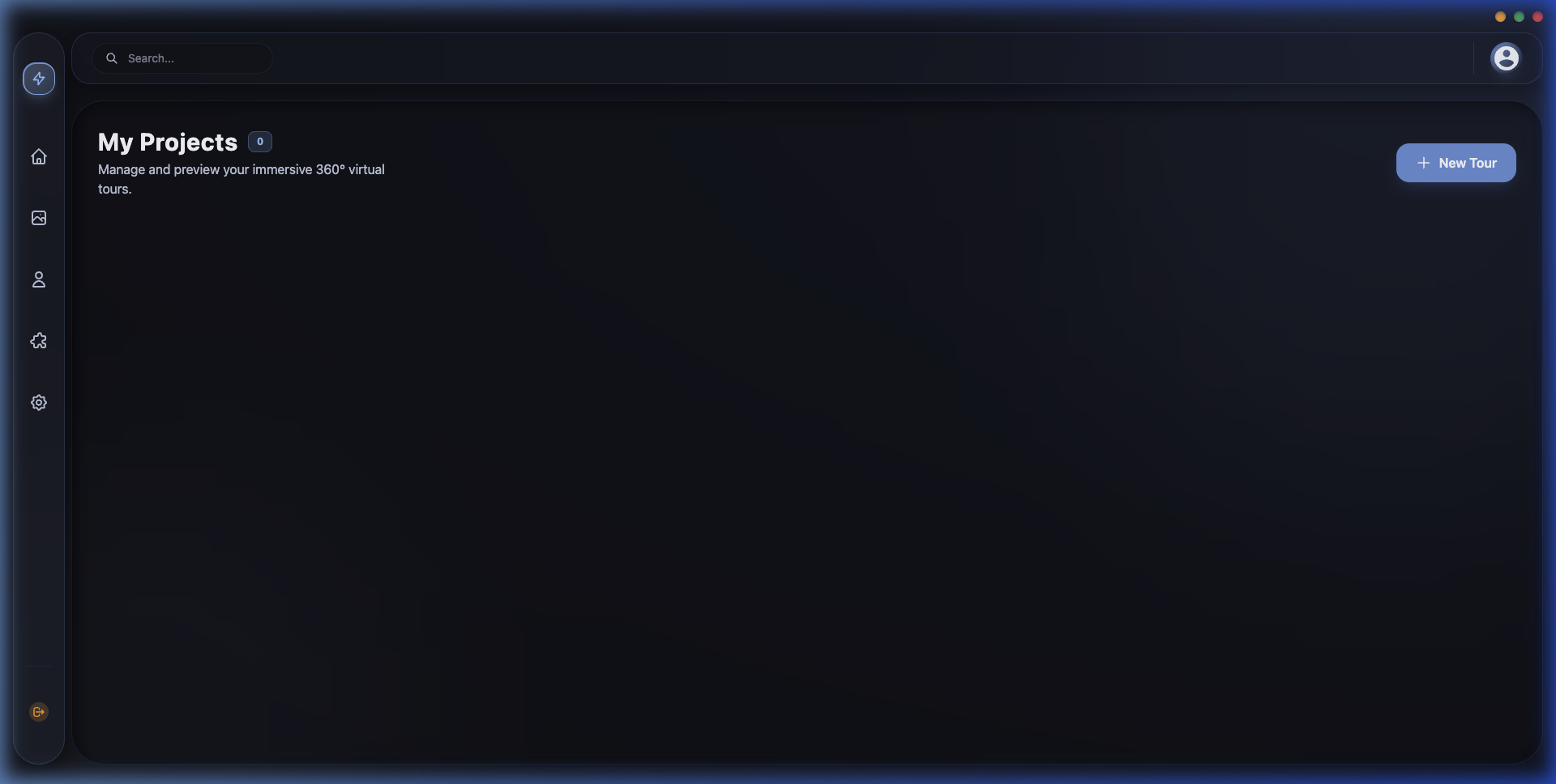
Start building instantly. The dashboard provides a clean, organized overview of all your ongoing and completed projects. Easily initiate new tours, assign custom metadata, manage tags, and write detailed synopses right from the home screen.
-
✓
Local Project Index Access all projects instantly from your system disk without delay.
-
✓
Rich Metadata Management Tag your client workspaces with custom names, synopses, and categories.
-
✓
Instant Search & Filter Query projects instantly with lightning-fast localized indexing.
Advanced Media Library
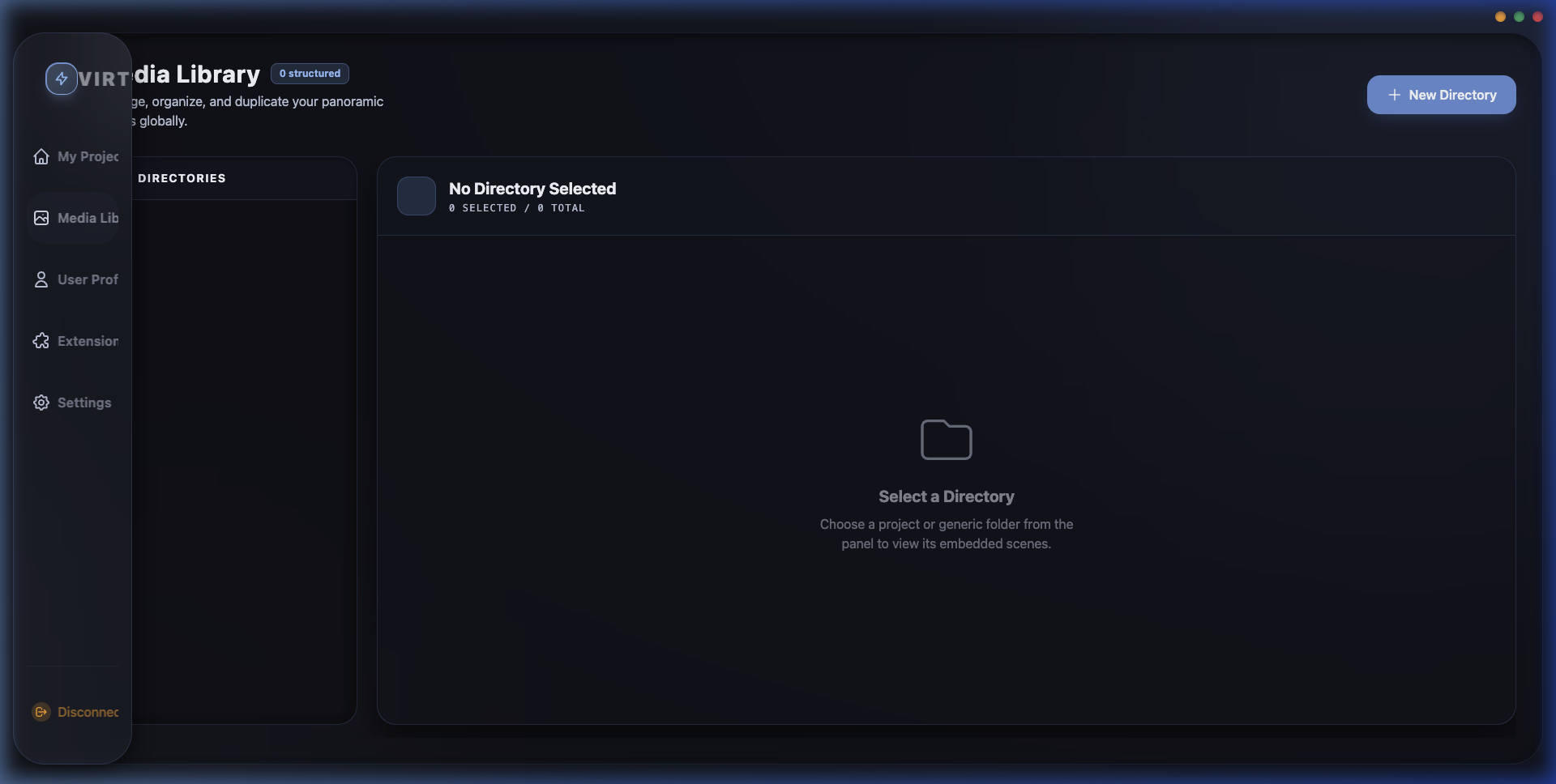
Take full control of your assets. The integrated Media Library features a robust directory structure tailored for global panorama management. Upload, preview, and organize high-resolution 360° photos and 3D assets without leaving the application.
-
✓
Directory File Tree Keep panoramas, audio tracks, and custom icons in dedicated folders.
-
✓
High-Resolution Asset Previewer Examine image clarity and raw panorama details inside the app viewport.
-
✓
Automated Compression Automatically convert raw images to web-optimized WebP assets on export.
Deep App Settings & Control
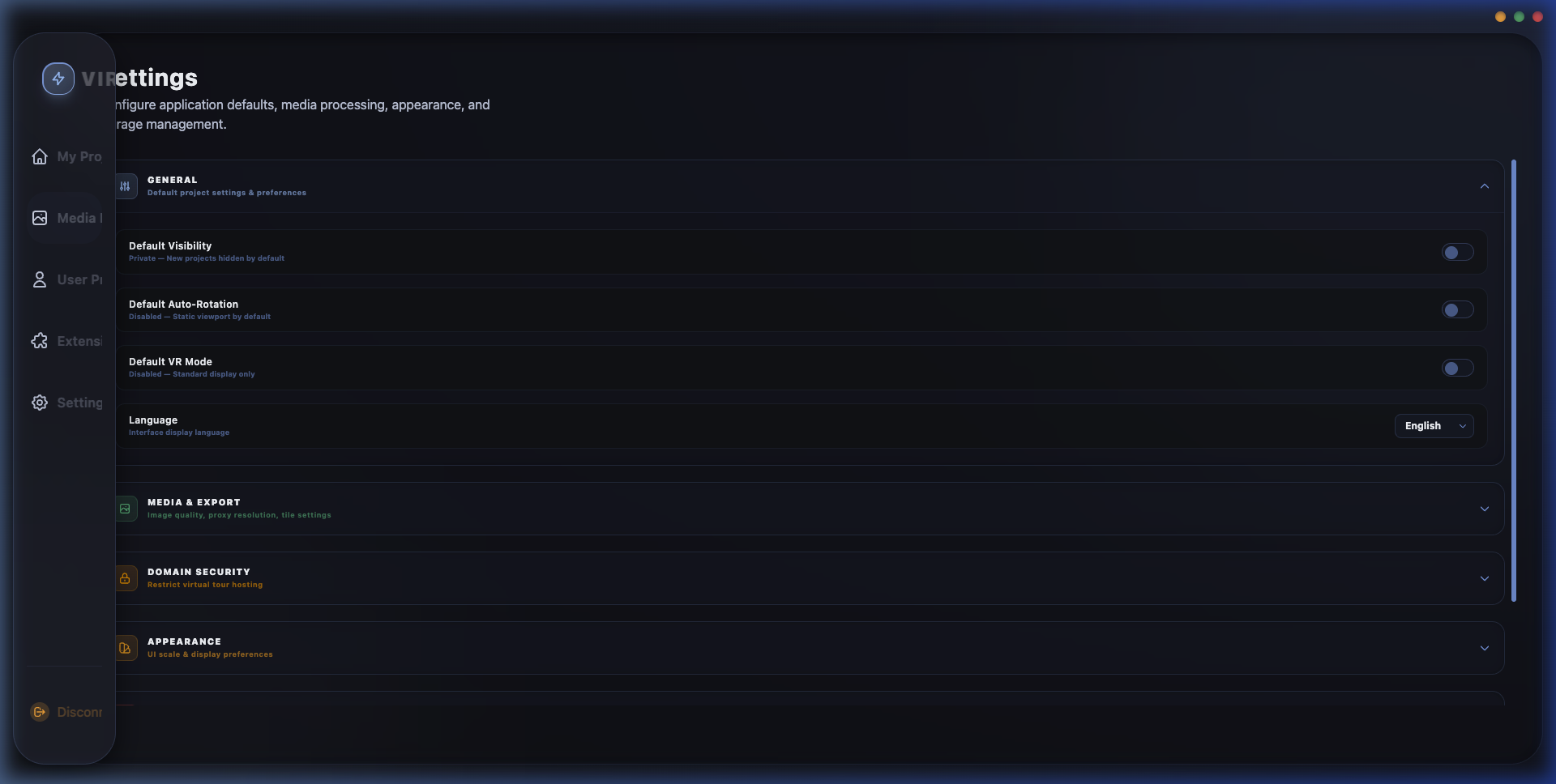
Tailor the application to your workflow. The Settings panel provides deep configuration controls, including auto-rotation speeds, UI scaling, language preferences, VR vs. Standard display modes, and media export quality parameters.
-
✓
Export Parameter Control Fine-tune image compression qualities and export directory paths.
-
✓
VR Interface Configuration Toggle layout scaling, VR side-by-side mode, and compass alignments.
-
✓
System Optimization Configure GPU render targets, maximum cache allocations, and auto-saves.
Desktop Studio vs. Web Editors
Why a native desktop app beats browser-locked creation tools.
Capability
- Offline Workspace
- Rendering Performance
- Asset Privacy
- Upload Limitations
- Pricing Model
Virtual360 Desktop
-
100% Offline Editing Build tours anywhere without active network connections.
-
Direct GPU Engine Vast rendering power utilizing your computer's graphics card.
-
Secure & Private Panoramas and camera raw files never upload to cloud databases.
-
Unlimited Imports No caps on file sizes, resolution limits, or project count.
-
One-Time License Own the software forever. Free minor version updates.
Standard Web Builders
-
Online-Only Connection Requires persistent internet connection. Subject to server latency.
-
Browser Capped Limited by browser-allocated CPU threads and memory leaks.
-
Third-Party Hosting Your client photography is stored on public third-party servers.
-
Strict Upload Quotas Tiers limit panorama count, file sizes, or tour exports.
-
Recurring Subscription Requires active monthly charges to keep tours active.
Ready to experience native speed?
Download the Virtual360 Studio desktop app and elevate your virtual tour workflow.